How to keep track of quotes — 7 ways trades actually do it
Full disclosure: we make the app at number seven. So instead of telling you it's best, here's what each method is genuinely good for, the moment it breaks, and what it costs — including a free spreadsheet if that's all you need. No wrong answers here, just honest trade-offs.
1. Your memory (and the back of the van)
The default. Free, always with you, zero setup. Works right up until you're busy — which is exactly when the money's on the line. The quote you forget is always the one that was about to say yes. If you've ever remembered a quote two weeks too late and found the job gone, you've already outgrown this one.
2. The paper diary or notebook
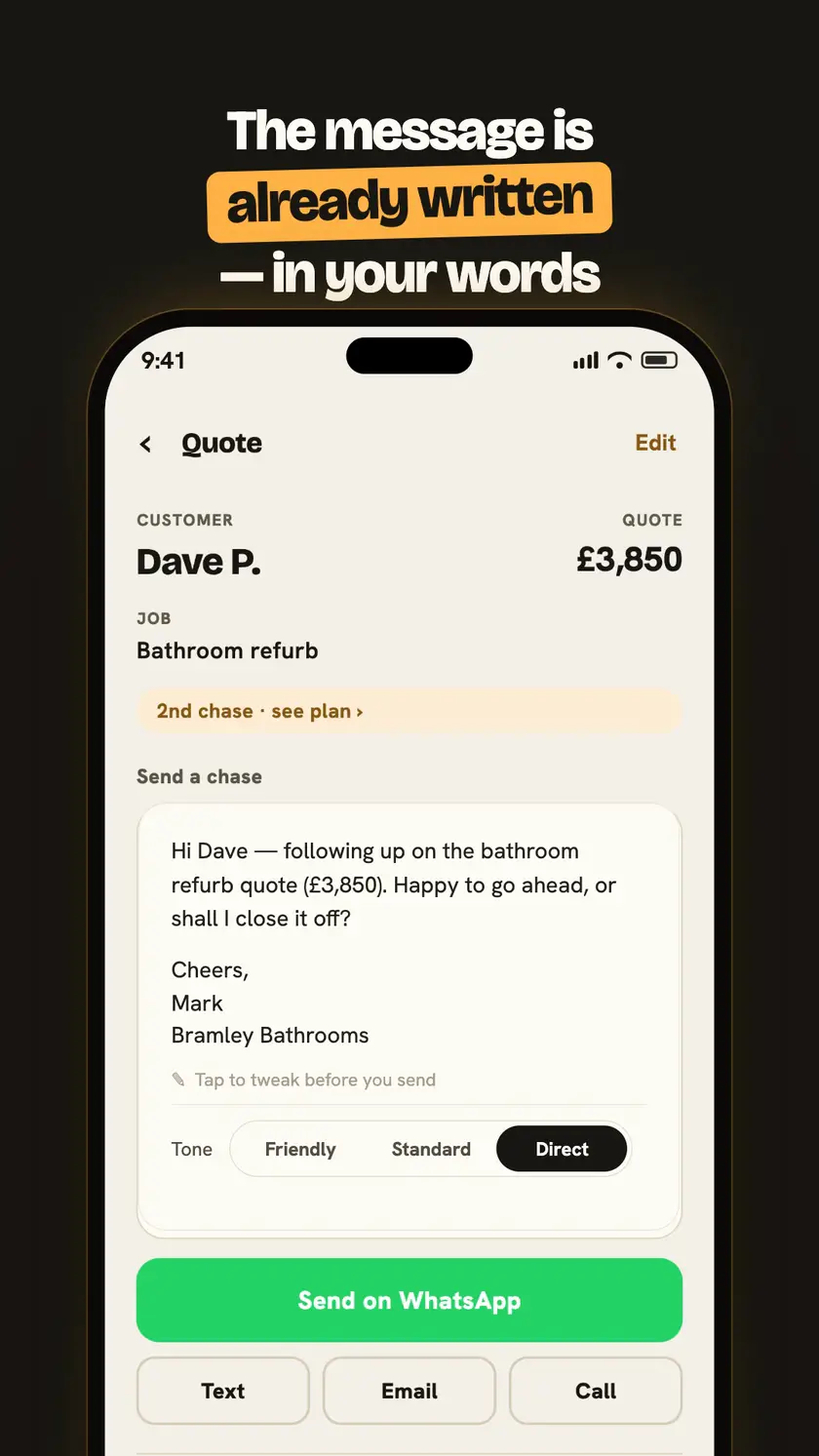
One step up, and honestly not a bad one. Writing a quote down makes it real, and plenty of good businesses ran on a duplicate book for decades. The catch: a notebook records, but it never taps you on the shoulder. Nothing about page 34 reminds you that Dave's £3,850 bathroom quote goes cold today. And when the van gets broken into or the notebook goes through the wash, the whole pipeline goes with it.
3. Phone notes and reminders
Free, searchable, backed up. A note per quote plus a reminder alarm is a genuinely workable system at low volume. Where it frays: every reminder is manual, so the discipline that failed with the notebook has to hold here too — and when the reminder does fire, you still have to work out what to say, find the customer's number, and type the message on a scaffold at half four.
4. A spreadsheet — free template included
The classic, and at a quote or two a month it's honestly enough. Columns for customer, job, price, date sent, next chase, status — and suddenly you can see your pipeline and your win rate. We've built you one so you don't have to:
Its limit is the same as the notebook's, just tidier: a spreadsheet only works when you open it. It doesn't know Tuesday's the day to chase the loft conversion, and it definitely won't write the message. If your quotes live in the van and your laptop lives at home, the gap between them is where jobs leak.
5. Job-management software
The full-fat option — quoting, invoicing, scheduling, staff, customer records, the lot. If you're running a firm with an office and a diary that needs untangling, this category earns its money. For a sole trader who just wants sent quotes followed up, it's a lot: monthly cost per user, a real learning curve, and quote-chasing is usually a small feature in a big system rather than the point of it.
6. Automated quote-chasing tools
Set-and-forget emailers that fire scheduled messages at your customers after you quote. Zero effort — that's the appeal and the problem. Messages go out in your name that you've never read, on a schedule that doesn't know the customer rang you yesterday. We've written up the full trade-offs in Chas'up vs automated quote chasers.
7. Chas'up (that's us)
An iPhone app that does the two jobs the spreadsheet can't: it tells you who to chase — each morning, with the £ on the line — and it writes the message in your words, then opens WhatsApp, text or email ready to go. You read it and press send; nothing sends itself. Where it falls down, honestly: it's iPhone-only for now, and if you want fully hands-off automation, that's the one thing we won't do — on purpose.
It's 30 days free, then £14.99/month. The fair test: if it wins back one quote you'd have let slip, it's paid for itself for years.
How to choose
Count your open quotes. One or two a month: the spreadsheet above is genuinely fine — set a weekly phone reminder to open it. A handful or more, and you're on the tools all day: you need something that chases you to chase them — that's Chas'up. Running staff and an office: look at job-management software, and check its quote follow-up actually gets used. Whatever you pick, the method matters less than the habit: the trade who follows up wins the work.
Questions, answered straight
Is a spreadsheet good enough to keep track of quotes?
At one or two quotes a month, honestly yes — download ours below and it'll do the job. It breaks down when the volume picks up: the spreadsheet only works if you open it, and nothing about a busy Tuesday reminds you to. If quotes are slipping through, that's the sign you've outgrown it.
What should I record for every quote I send?
Six things cover it: the customer's name and number, the job, the price, the date you sent it, when you'll chase it next, and its status (open, won or lost). That last column is the one most trades skip — and it's the one that tells you your win rate.
How many quotes before a tracking app is worth paying for?
A fair rule: when winning back ONE quote you'd have forgotten pays for the app for years, the maths is done. If you send a handful of quotes a month at trade prices, one £900 job recovered covers £14.99/month for five years.
What's the difference between tracking quotes and chasing them?
Tracking is knowing what's out there; chasing is doing something about it. A spreadsheet tracks. Chas'up does both — it keeps the list, tells you who to chase each morning, and writes the message so you just press send.
See it in action — the 30-second demo Watch Chas'up write the chase and open WhatsApp ready to send.